
Introduction on how to use Thermo Exactive HF mass spectrometer
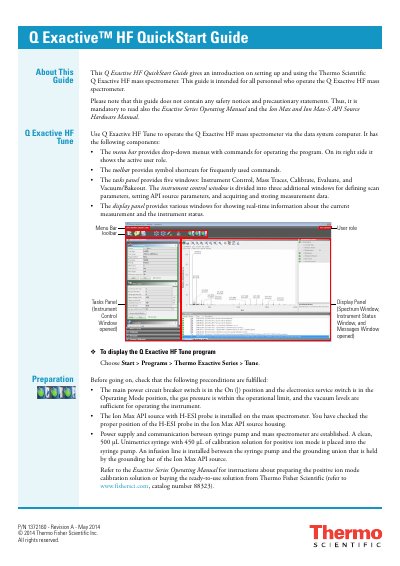
This Quick Start Guide provides an introduction to setting up and using the Thermo Fisher Scientific Q Exactive HF mass spectrometer. It is intended for all personnel who operate the instrument and covers the use of the Q Exactive HF Tune software for operation via a data system computer.
The guide details the preparation steps required before operation, including checking power, gas pressure, and vacuum levels, as well as installing the Ion Max API source. It explains how to configure the software for H-ESI/MS mode, set specific source parameters like spray voltage and capillary temperature, and define scan parameters for tuning and calibration.
| Resolution | 15,000 |
|---|---|
| Polarity | Positive |
| Capillary temperature | 320 °C |
| Spray voltage | 4 kV |
The instrument is operated via the Q Exactive HF Tune software using the data system computer.
The main power circuit breaker must be On, the electronics service switch must be in the Operating Mode position, gas pressure must be within limits, and vacuum levels must be sufficient.