
Elecom ELD-QEN Series SeeQVault Compatible TV Recorder Hard Drive User Manual

ELD-QEN series is a SeeQVault compatible TV recorder hard drive from Elecom
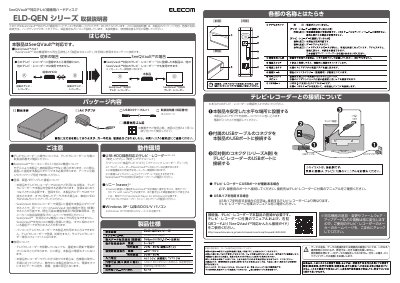

Elecom ELD-QEN Series SeeQVault Compatible TV Recorder Hard Drive User Manual - cover page
Brand
Elecom
Category
Other Electronics
Document type
User Manual
Language
Japanese
Pages
2
File format
PDF
File size
1.7 MB
Published
18 October, 2023
Updated
18 October, 2023
MD5 checksum
5E8A2871ECE272D9F8EBD40A34340FF8

About this manual

This manual provides instructions for the Elecom ELD-QEN Series hard drive, designed for use with SeeQVault-compatible televisions and recorders. It details the package contents, component names, and connection methods to ensure proper setup and operation. This manual is written in Japanese.

What's inside

  • Package Contents
  • Component Names and Functions
  • Connection to TV/Recorder
  • SeeQVault Compatibility
  • Operating Environment
  • Specifications
  • Safety Precautions

Specifications

Input VoltageAC100V
Power ConsumptionTYP10W

Frequently asked questions

Is this hard drive compatible with all TVs and recorders?

No, it is only compatible with SeeQVault-enabled devices. Connecting it to non-compatible devices may result in data loss.

What is the product used for?

It is a TV recorder hard drive compatible with SeeQVault.

What is the product's power requirement?

It requires AC100V and consumes 10W of power.

What is the product's weight?

The weight is approximately 850g (excluding protrusions).

Download PDF (1.7 MB)

More Elecom Manuals


View all Elecom manuals →