
Sony HVR-A1E/A1P Digital HD Video Camera Recorder Operating Guide

This document is the operating manual for a digital HD video camera recorder produced by Sony Corporation
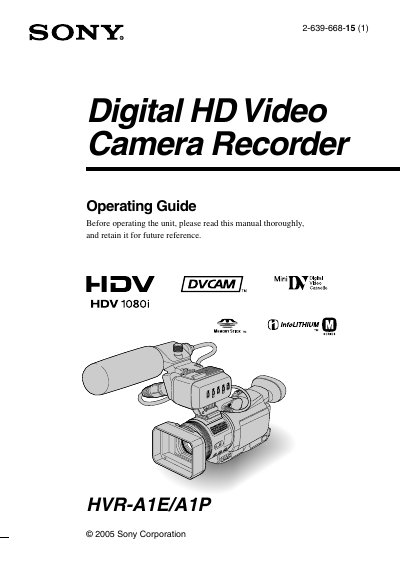

Sony HVR-A1E/A1P Digital HD Video Camera Recorder Operating Guide - cover page
Brand
SONY
Category
Video Player
Document type
User Manual
Language
English
Pages
124
File format
PDF
File size
6.2 MB
Published
17 October, 2023
Updated
17 October, 2023
Models
HVR-A1E, A1P
MD5 checksum
C39EC353AC10692B634B6A849DF7C3E1

About this manual

This manual provides instructions for operating the Sony HVR-A1E/A1P Digital HD Video Camera Recorder. It covers initial setup steps such as checking supplied items, charging the battery, and adjusting the LCD panel and viewfinder. The guide explains how to use the touch panel, set the date and time, and insert recording media like tapes or Memory Stick Duo cards.

What's inside

  • Read this first
  • Recording
  • Playback
  • Using the Menu
  • Dubbing/Editing
  • Connecting to a computer
  • Troubleshooting
  • Maintenance and precautions
  • Specifications
  • Quick Reference

Frequently asked questions

What video formats can this camcorder record in?

Your camcorder is capable of recording in HDV, DVCAM, and DV formats.

What type of memory card can be used in this camcorder?

You can use “Memory Stick Duo” marked with Memory Stick Duo or MEMORY STICK PRO Duo.

What is the lens manufacturer for this camcorder?

Your camcorder is equipped with a Carl Zeiss lens, developed jointly by Carl Zeiss, in Germany, and Sony Corporation.

What is required to play back HDV tapes on other devices?

A tape recorded in the HDV format cannot be played back on a device that is not compatible with the HDV format.

Download PDF (6.2 MB)

More SONY Manuals


View all SONY manuals →