
This document is the user manual of Creative Soundbar 2.1 with Dolby Atmos. It introduces the features and characteristics of the product, including appearance, size, input power and output power.
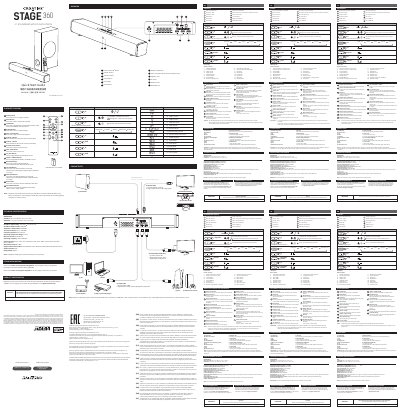
The Creative MF8385 is a 2.1 soundbar system with Dolby Atmos, supplied with a separate subwoofer. This quick start guide covers the soundbar and subwoofer layout, IR remote control functions, LED display indications, connectivity, product registration, warranty information, and technical specifications.
The listed specifications include up to 120W RMS total system power, a 50–20,000 Hz frequency response, Bluetooth 5.0, HDMI 2.0 ports, HDMI ARC, optical-in, and a USB-A port reserved for firmware updates. The guide also includes multilingual compliance and declaration information.
| Soundbar dimensions | 566 x 75 x 88 mm / 22.2 x 2.9 x 3.4” |
|---|---|
| Subwoofer dimensions | 115 x 422 x 250 mm / 4.5 x 16.6 x 9.8” |
| Soundbar output power | 60W RMS |
| Subwoofer output power | 60W RMS |
| Total system power | Up to 120W RMS |
| Frequency response | 50–20,000 Hz |
| Bluetooth version | Bluetooth 5.0 |
| Bluetooth operating range | Up to 10m / 33 ft |
| Input rating | 100–240V 50 / 60 Hz 2.3A |
| Family model | XBar61 |
Press the Bluetooth button once to switch to Bluetooth mode, then press and hold it to enter Bluetooth pairing mode.
The available sound modes are Movie, Music, Night, and Wide.
The USB-A port is reserved for firmware updates only.
Yes, Dolby encoded input is automatically decoded when connected to an HDMI ARC / eARC or Optical-in port.