
Key facts
- Manuals
- 30
- Categories
- 5
- Languages
- EN · ZH
- Last added
- 2026-09-30
Featured Creative manuals
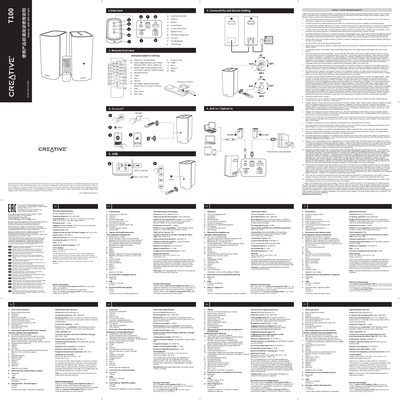
Creative MF1690 T100 Quick Start Guide
The Creative T100 (model MF1690) is a compact speaker system that offers Bluetooth, USB, AUX‑in and optical inputs. This Quick Start Guide walks you through the basic operation, remote control layout, and how to connect your audio sources.
Key specifications include Bluetooth 5.0 with A2DP/AVRCP profiles, up to 10 m range, 20 W RMS per speaker (40 W RMS total), support for MP3/FLAC/WAV files on USB, and a universal 100‑240 V power adapter delivering 18 V 2 A output.
Covers: Product Overview · Remote Control Overview · Connectivity and Source Settings · Bluetooth Specifications · USB Mass Storage Support · AUX / Optical Input
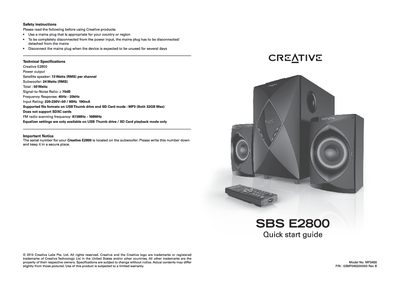
Creative SBS E2800 Quick Start Guide
The guide begins with safety instructions, reminding users to use a mains plug appropriate for their region and to disconnect the plug when the speaker will not be used for several days. It also notes the serial number location and warranty information.
The document then explains how to power the speaker on or off, switch between AUX, USB, SD and FM sources, adjust volume, use the remote control, and access the equalizer settings. Technical specifications such as power output, frequency response and supported file formats are listed for quick reference.
Covers: Safety Instructions · Technical Specifications · Quick Start Guide · Product Overview · Controls and Buttons · Remote Control
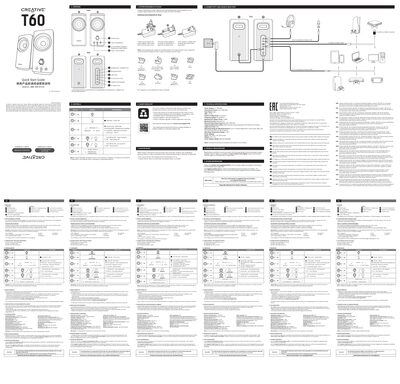
Creative T60 Speaker User Manual
The Creative MF1705 (T60) Bluetooth speaker is a portable 2.0‑system audio device with interchangeable AC plugs for worldwide use. It offers Bluetooth 5.0 connectivity, USB‑C, AUX‑in, and headphone/headset ports.
This manual covers product overview, how to replace AC plugs, connectivity and source selection, button functions, master reset procedure, technical specifications, product registration, warranty information and compliance details.
Covers: Overview · Interchangeable AC Plugs · Connectivity and Source Selection · Controls · Master Reset · Technical Specifications
Creative MuVo VIDZ User Manual
This manual guides Creative MuVo VIDZ owners through initial setup, including software installation, battery charging, and transferring music, images, and videos via USB. It also covers basic operation such as playing audio, viewing videos, browsing images, and using FM radio.
Additional sections describe recording from FM or line‑in sources, managing files, safety precautions, and product registration. The guide provides step‑by‑step instructions and troubleshooting tips for everyday use.
Covers: Getting Started · Using the Menu Button · Viewing Videos and Images · Listening to FM Radio · Recording from Radio · Direct Line‑In Encoding
Latest Creative manuals
Creative MF1690 T100 Quick Start Guide
Quick Start Guide 2 pages · 1.2 MB · ENThe Creative T100 MF1690 Quick Start Guide provides an overview of the speaker’s controls, remote functions, connectivity options, Bluetooth specs, and…
Creative SBS E2800 Quick Start Guide
Quick Start Guide 2 pages · 1.9 MB · ENQuick start guide for the Creative SBS E2800 speaker system, covering safety, setup, controls and key specifications.
Creative T60 Speaker User Manual
User Manual 2 pages · 2.2 MB · ENThe Creative MF1705 Bluetooth Speaker user manual provides setup, controls, connectivity, specifications, and reset instructions.
CREATIVE MuVo FM user manual
Creative MuVo2 FM User Manual, introduces the player's overview, getting started, using the player, software applications, etc.
Creative MuVo VIDZ User Manual
User Manual 40 pages · 4.3 MB · ENThe Creative MuVo VIDZ user manual explains setup, file transfer, playback, FM radio, and recording for the digital audio player.
CREATIVE X-Fi SOUND SYSTEM i600 quick installation Service Manual
This is a Creative X-Fi Sound System i600 speaker system user manual.
Creative N400 Manual
CREATIVE GIGAWORKS HD50 user guide
This document is the user manual for Creative GigaWorks HD50 speaker. It mainly introduces the connection method, usage method, specifications, etc. of the speaker.
CREATIVE GIGAWORKS T40 user guide
The Creative GigaWorks T40 is a satellite speaker with a power output of 14 watts RMS per channel, a signal-to-noise ratio of 80dB, and a frequency response of 50Hz - 20kHz. The speaker is powered by a 20V AC 2.8A power adapter.
CREATIVE A320/SBS A320 quick Quick Start Guide
CREATIVE A220/SBS A220 quick Quick Start Guide
CREATIVE GIGAWORKS T3 quick Quick Start Guide
Describes the operation methods of the stereo audio system, including volume adjustment, power switch and other functions.
CREATIVE INSPIRE T3200 quick Quick Start Guide
Creative Inspire T3200 is a multi-media speaker with a power output of 6 watts RMS per channel, subwoofer output of 17 watts RMS, signal-to-noise ratio of 80dB, frequency response range of 40Hz - 20kHz, powered by a supplied 12V AC 2.9A power adapter or an integrated power supply.
CREATIVE A200 quick Quick Start Guide
Creative A200 technical specifications, including power output, signal-to-noise ratio and frequency response.
CREATIVE A300/SBS A300 quick Quick Start Guide
This document is a PDF specifications sheet for Creative A300/SBS A300, including power output, signal-to-noise ratio, frequency response etc.
- 1
- 2
Which document do I need?
Quick Start Guide
The shortest path to a working setup, usually only a few pages.
User Manual
Day-to-day operation, settings and troubleshooting. Start here if the product is already set up.
Questions answered in Creative manuals
What Bluetooth version does the Creative T100 support?
It supports Bluetooth 5.0.
How far can the Bluetooth connection reach?
The Bluetooth range is up to 10 meters in open space.
How do I turn the speaker on or off?
Press the Source button (©/Source) to power the speaker on; press and hold the same button to put it into standby mode again.
How do I replace the interchangeable AC plug on the Creative MF1705?
Place the AC plug on the power adapter and push it down until you hear a click, then pull the adapter’s clip down to release the plug.
What is the procedure for a master reset on the speaker?
Press and hold both Clear Dialog and Surround buttons for 5 seconds; the speaker will return to USB mode after the reset.
How long does it take to fully charge the MuVo VIDZ battery?
It takes approximately four hours to charge the battery fully.