
This document describes the features of M4NN series meter, including input range, output, error, etc.
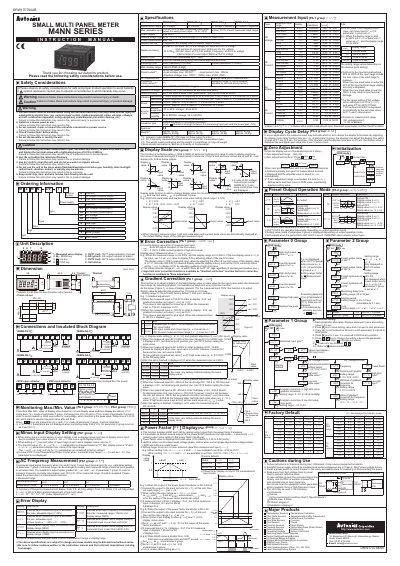
The document is a user manual for the Autonics M4NN series of small multi-panel meters. It details various models including those measuring DC voltage/current and AC voltage/frequency. The text provides specific technical specifications such as display ranges, accuracy levels, power supply requirements (5-24VDC), and environmental resistance ratings.
The guide explains key operational features like the Preset Output function with NPN/PNP open collector outputs, Display Scale functions for high/low limits, Zero Adjustment procedures, and Error Correction methods. It also includes safety warnings regarding installation, power connection, and usage in hazardous environments.
| Power Supply | 5-24VDC |
|---|---|
| Display Method | 7-segment LED display (red) |
| Ambient Temperature | 0 to 50°C |
| Storage Temperature | -20 to 60°C |
| Dielectric Strength | 2000VAC for 1 min (between all terminals and case) |
| Display Accuracy | DC input: +0.1% F.S. +2digit, AC input: ±0.3% FS. ±3digit |
No, the Indicator model (M4NN-CICF1N) does not have an output function.
Use AWG 24(0.20mm²) to AWG 20(0.50mm²) cable.
Press & and #/ key in RUN mode for 3 sec.