
CO2-DISPLAY is an accurate wall mount and desktop data logger that displays and records relative humidity, temperature and CO2. Date and time is additionally displayed.
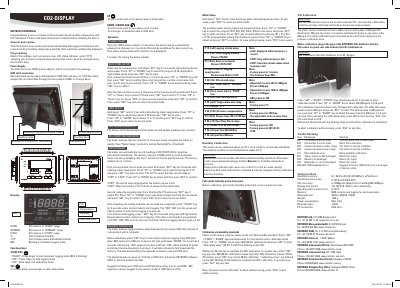
The Rotronic CO2-DISPLAY is a wall-mount or desktop data logger designed to measure and record relative humidity, temperature, and carbon dioxide (CO2) levels. It features an LCD display that shows real-time readings along with date and time information. The device includes status indicators for indoor air quality, displaying 'GOOD', 'NORMAL', or 'POOR' based on configurable CO2 thresholds.
Users can configure various settings such as units (Celsius/Fahrenheit), sampling rates, pressure compensation, and the real-time clock format using function keys. Data is automatically logged to internal memory with a capacity of 6000 records per parameter. Recorded data can be easily downloaded via a USB stick (up to 8GB) or analyzed using free software.
Plug a USB stick (max. 8GB) into the slot, hold down 'DOWN' for more than 2 seconds until 'USb' appears and flashes.
A blinking green 'REC' LED indicates that automatic logging is in process.
Connect a ROTRONIC CO2-Calibrator, press 'SET' + 'START' + 'DOWN' simultaneously for 3 seconds, and select the desired ppm value.