
EDACS®/Conventional/P25 XG-75P/XG-75Pe Portable Radios Quick Start Guide

This quick start guide introduces the common features of the EDACS®/Conventional/P25 XG-75P/XG-75Pe portable radios.
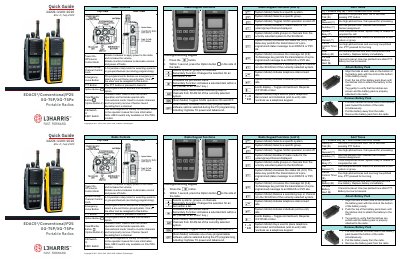

EDACS®/Conventional/P25 XG-75P/XG-75Pe Portable Radios Quick Start Guide - cover page
Brand
L3Harris
Document type
Quick Start Guide
Language
English
Pages
2
File format
PDF
File size
450 KB
Published
15 October, 2023
Updated
15 October, 2023
MD5 checksum
0097B9866B67DE6C2C40390951088CB1

About this manual

This document serves as a quick reference for the L3Harris XG-75P and XG-75Pe portable radios. It details the functions of the radio's physical controls, including the power knob, channel selector, push-to-talk button, and various programmable keys like Option and Clear/Monitor.

What's inside

  • Radio Controls
  • Radio Keypad Functions
  • Alert Tones
  • Battery Installation
  • Transmitting a Call
  • Receiving a Call
  • Emergency Declaration

Frequently asked questions

How do I declare an emergency?

Press and hold the red Emergency/Home button until TXEMER flashes in the display, then press PTT to speak.

How should I hold the microphone while speaking on the radio?

You must hold the microphone approximately two inches from your mouth while speaking.

How do I clear an emergency declaration on the radio?

Press and hold the Clear/Monitor button, then simultaneously press the emergency button to clear the emergency.

Download PDF (450 KB)

More L3Harris Manuals


View all L3Harris manuals →