
ATC ATC-1300 Modbus Gateway Application Guide

This manual provides the configuration method and test method of ATC-1300 Modbus Gateway, including hardware connection, configuration software, web configuration and reboot reset.
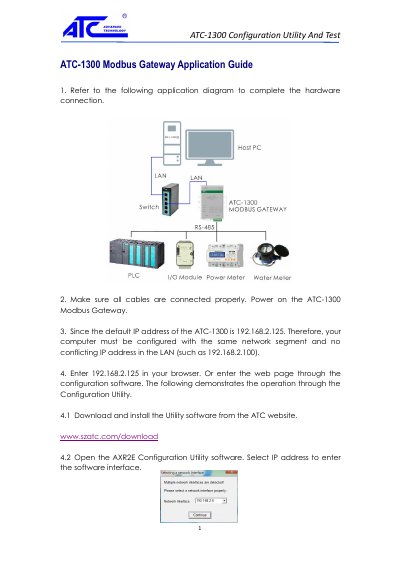

ATC ATC-1300 Modbus Gateway Application Guide - cover page
Brand
ATC
Category
Industrial Supply
Document type
User Manual
Language
English
Pages
4
File format
PDF
File size
490 KB
Published
12 October, 2023
Updated
12 October, 2023
MD5 checksum
E44535AD55761290C964C4A3D64C9A2B

About this manual

This guide provides instructions for connecting the ATC-1300 Modbus Gateway to a Host PC and configuring it via the Configuration Utility. It details the default IP address settings and the steps to access the web interface for parameter setup.

What's inside

  • Hardware Connection
  • Configuration Utility
  • Web Interface Setup
  • Serial Port Parameters
  • IP Address Configuration
  • Communication Testing

Frequently asked questions

What is the default IP address of the ATC-1300?

The default IP address is 192.168.2.125.

What are the default login credentials for the gateway?

The default username is admin and the default password is admin.

Download PDF (490 KB)

More ATC Manuals


View all ATC manuals →