
This document is the user guide of NetComm Wireless NF18ACV, which introduces the features and usage methods of the product.
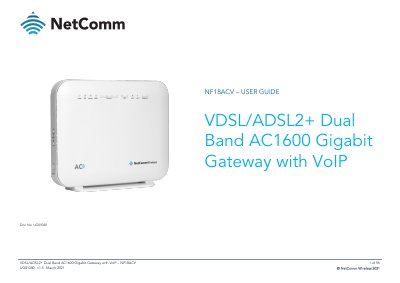
The NetComm Wireless NF18ACV is a smart residential gateway designed for ultra-fast broadband connections via VDSL2, ADSL2+, and nbn/UFB fibre networks. It supports triple play services including high-speed data, IPTV, and HD quality Voice over IP (VoIP) calls.
This guide provides instructions for installing the device, connecting clients via Ethernet or wireless, and configuring settings through a web interface. Topics include setting up ADSL/VDSL/Ethernet WAN connections, managing dual-band 802.11ac Wi-Fi networks, parental controls, content sharing, and advanced diagnostics.
| Wireless Standard | Next generation WiFi 802.11 AC1600, dual band concurrent |
|---|---|
| LAN Ports | 4 x Gigabit Ethernet 10/100/1000 LAN ports |
| WAN Port | 1 x 10/100/1000 Gigabit Ethernet WAN port |
| VoIP Capacity | connect up to 2 telephones |
You need an activated ADSL/VDSL or pre-configured WAN connection, a computer with Ethernet adapter or wireless capability, and a current web browser.
The package includes the gateway, an RJ45 Ethernet cable, an RJ11 Telephone cable, a WiFi Security card, a Warranty card, and a Power supply (12V/2A).