
The T7200 LCD Digital Thermostat Installation Guide provides information on installation environment, installation instructions, precautions, and repair and replacement.
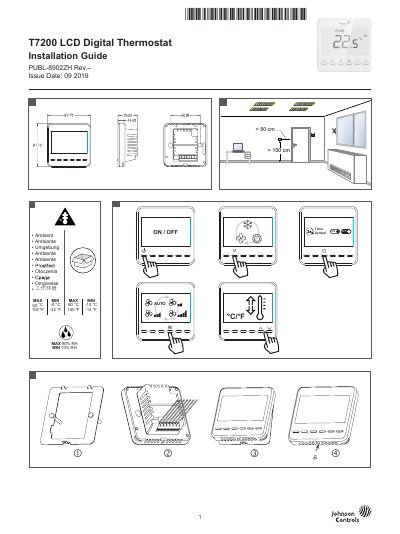
This document provides installation instructions and safety warnings for the Johnson Controls T7200 LCD Digital Thermostat. It details the procedure for repairing or replacing the unit, emphasizing that the thermostat should not be repaired on-site and that the PCB must not be removed from the enclosure to maintain the warranty. Important safety precautions regarding electrical shock, grounding, and moisture protection are included. This manual is written in Chinese.
| Operating Voltage | 100-240VAC 50/60Hz |
|---|---|
| Upper Setpoint Limit | 35°C (Default) |
| Lower Setpoint Limit | 5°C (Default) |
No, do not attempt to repair the T7 Series thermostat; contact a Johnson Controls representative for replacement.
Removing the PCB from the enclosure cover voids the product warranty.
Press and hold the button and button for 5 seconds at power off mode.