
This instruction manual describes the installation of the T9800 LCD Digital Thermostat.
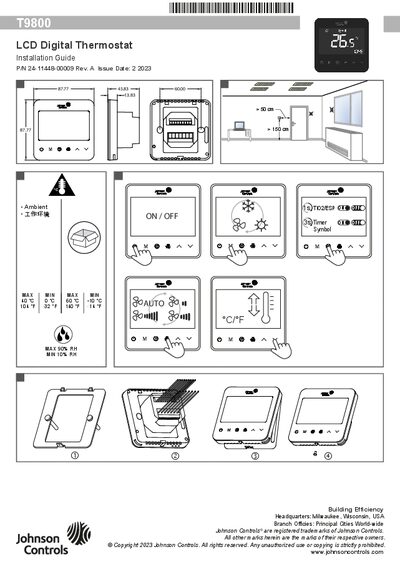
This guide provides detailed installation instructions for the Johnson Controls T9800 LCD Digital Thermostat, including safety warnings, applicable system configurations (2‑pipe, 4‑pipe, floor heating, TiO2/ESP, water‑source heat pump) and wiring diagrams. It explains how to connect power, control signals, and optional communication interfaces such as BACnet MS/TP and Modbus.
The document also describes how to access and modify user and advanced parameters, set temperature offsets, fan speeds, alarm codes, and BACnet IDs. Step‑by‑step procedures for keypad lock/unlock, timer setup, and mode selection are included, along with tables of default values and ranges for each configurable item.
| Operating temperature range | 0 °C to 40 °C (32 °F to 104 °F) |
|---|---|
| Maximum operating temperature (high range) | -10 °C to 60 °C (-14 °F to 140 °F) |
| Relative humidity range | 10 % RH to 90 % RH |
| Power supply | 100‑240 VAC, 50/60 Hz |
| Fan speed settings | Hi / Med / Low |
| Temperature offset range | -5 °C to +5 °C (-9 °F to +9 °F) |
| Sample time range | 1 s to 99 s |
| Backlight timer range | 5 s to 99 s |
Press and hold the power button for 5 seconds while the thermostat is off to open the parameter list, then use the M button to scroll and the up/down buttons to change values.