
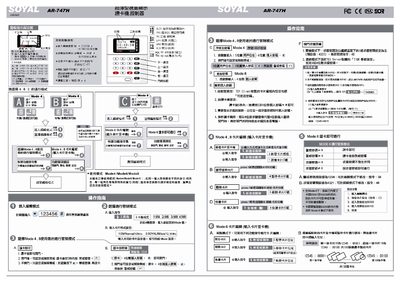
This manual provides step‑by‑step instructions for using the AR‑747H card reader, including how to select operating modes (Mode 4, Mode 6, Mode 8), edit card data, and configure alarm and rescue passwords. It also describes the quick‑function command set for common tasks such as opening doors, setting time schedules, and managing card IDs.
Installation guidance covers mounting the controller, wiring the power supply (12 V DC 2 A), connecting RS‑485 communication, and wiring LEDs and relays. Safety notes and parameter tables are included for proper setup and troubleshooting. This manual is written in Chinese.
| Power supply | 12 V DC 2 A |
|---|---|
| LED output current | 5 V 20 mA |
The controller has three modes: Mode 4, Mode 6 and Mode 8, each providing different access control functions.
The default alarm password is 1234; it can be modified in edit mode using command 38.
The default rescue password is 4321; it can be entered in place of the personal password to send a rescue signal when opening the door.