
Panasonic AK-HHD931P 720P Output Port Unit Installation Instructions

This document introduces the product features and usage methods of AK-HHD931P 720P output port unit.
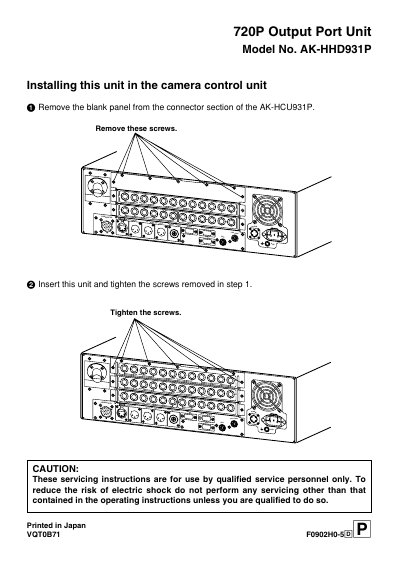

Panasonic AK-HHD931P 720P Output Port Unit Installation Instructions - cover page
Brand
Panasonic
Category
Other Electronics
Document type
User Manual
Language
English
Pages
1
File format
PDF
File size
108 KB
Published
09 August, 2012
Updated
30 September, 2023
MD5 checksum
BC8C98B7AB7905760768F7AEF441A173

About this manual

This document provides installation instructions for the Panasonic AK-HHD931P 720P Output Port Unit. It details the steps for removing the blank panel from the connector section of the AK-HCU931P camera control unit and inserting the new unit.

The manual includes a cautionary note stating that servicing instructions are intended for qualified service personnel only to reduce the risk of electric shock.

What's inside

  • Installing this unit in the camera control unit
  • Remove the blank panel
  • Insert this unit
  • Tighten the screws
  • CAUTION

Frequently asked questions

What is the model number of the 720P Output Port Unit?

The model number for this unit is AK-HHD931P.

Which camera control unit is this unit installed in?

This unit is installed in the AK-HCU931P camera control unit.

Who is authorized to perform servicing on this unit?

Servicing instructions are for use by qualified service personnel only.

Download PDF (108 KB)

More Panasonic Manuals


View all Panasonic manuals →