
DISH SK-1000 Receiver Setup Guide

This document provides instructions for setting up the DISH® receiver for SK-1000. It explains the steps for receiver setup and check switch test.
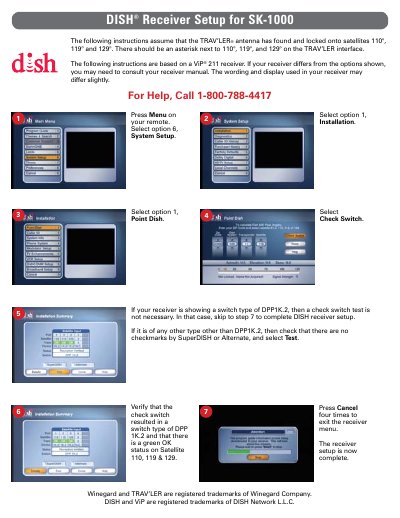

DISH SK-1000 Receiver Setup Guide - cover page
Brand
DISH
Category
Other
Document type
User Manual
Language
English
Pages
1
File format
PDF
File size
148 KB
Published
08 August, 2012
Updated
29 September, 2023
MD5 checksum
7493487AE08FBD3A60DA9BBDEB4A311C

About this manual

This document provides step-by-step instructions for setting up the DISH SK-1000 receiver. It assumes the TRAV'LER antenna has already found and locked onto satellites 110°, 119°, and 129°. The guide details how to access the System Setup menu to select the 'Point Dish' option and verify the check switch status.

What's inside

  • DISH Receiver Setup
  • System Setup
  • Point Dish
  • Check Switch
  • Satellite Verification
  • Menu Navigation

Frequently asked questions

What satellites does the setup assume are locked?

The instructions assume the antenna has locked onto satellites 110°, 119°, and 129°.

When is the check switch test not necessary?

The test is not necessary if the receiver shows a switch type of DPP1K.2.

Download PDF (148 KB)

More DISH Manuals


View all DISH manuals →