
Panasonic SV-AV50 SD Video Camera Operating Instructions

This manual introduces the operation of Panasonic SV-AV50 SD video camera, including turning on and off, shooting and playback.
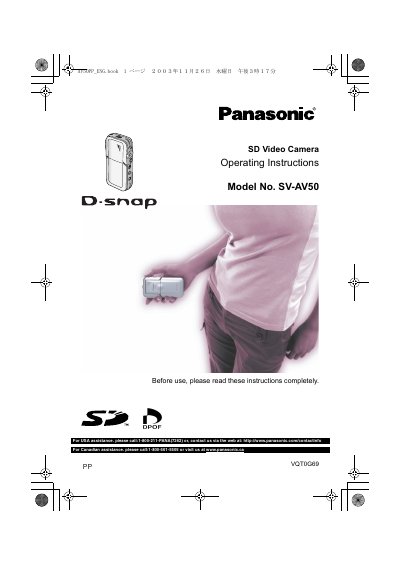

Panasonic SV-AV50 SD Video Camera Operating Instructions - cover page
Brand
Panasonic
Category
MP3 Player
Document type
User Manual
Language
English
Pages
80
File format
PDF
File size
5.3 MB
Published
07 August, 2012
Updated
30 September, 2023
MD5 checksum
9EFF797C9AB1C7292DE65D48E8912766

About this manual

This User Manual provides operating instructions for the Panasonic SV-AV50 SD Video Camera. It covers preparation, standard and optional accessories, controls and components, the USB cradle, power supply, battery charging, memory card insertion, and the LCD monitor.

It also explains basic and advanced functions such as recording and playing back still pictures, MPEG4 moving pictures, voice recordings, and music, plus PC software installation, USB connection, formatting, and troubleshooting.

What's inside

  • Preparation
  • Controls and Components
  • Charging the Battery
  • Inserting a Memory Card
  • Using the Menu Screen
  • Recording Still Pictures
  • Recording Moving Pictures (MPEG4)
  • On a Personal Computer
  • Specifications
  • Index

Specifications

LCD Monitor total pixelsapproximately 117,600 pixels
Memory Card typeSD Memory Card

Frequently asked questions

What type of memory card does the SD Video Camera use?

In this Operating Instructions, “Memory Card” and “Card” mean “SD Memory Card”.

What should I do if red, blue, green or white dots appear on the screen?

Turn the SD Video Camera off and leave it for a while.

Who is the responsible party for the equipment in the USA?

Matsushita Electric Corporation of America.

Download PDF (5.3 MB)

More Panasonic Manuals


View all Panasonic manuals →