
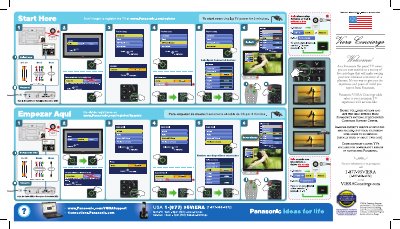
Panasonic TQD2A19015 Flat Panel TV Setup Guide


Panasonic TQD2A19015 Flat Panel TV Setup Guide - cover page
Brand
Panasonic
Category
Television
Document type
User Manual
Language
English
Pages
1
File format
PDF
File size
8 MB
Published
06 August, 2012
Updated
06 August, 2012
MD5 checksum
D84FFD77FDE78BD7207F4DD9142F84D0

About this manual

This document provides initial setup instructions for the Panasonic TQD2A19015 flat panel television. It guides users through connecting the antenna or cable, selecting input labels, and performing an auto program scan to view digital channels. The guide also includes specific steps for the first-time setup process.

What's inside

  • Firsttime setup
  • ANT/Cable setup
  • Input labels
  • VIERA Concierge
  • Priority Service
  • Customer Support

Frequently asked questions

How do I start over on the TV?

Unplug TV power for 3 minutes.

What steps are required to restart the TV?

To restart the TV, you must unplug the power cord and wait for three minutes before plugging it back in.

How long does it usually take to fix the TV if service is needed?

If the television needs servicing, it is usually fixed in about two days.

What are the phone hours for Panasonic customer support?

Support is available Monday through Friday from 9 am to 9 pm EST and Saturday through Sunday from 10 am to 7 pm EST.

Download PDF (8 MB)

More Panasonic Manuals


View all Panasonic manuals →