
This document provides instructions for installing the desktop stand model VL-GT001A. It emphasizes the importance of not frequently changing the installation position to prevent disconnection of the power cord and wires.
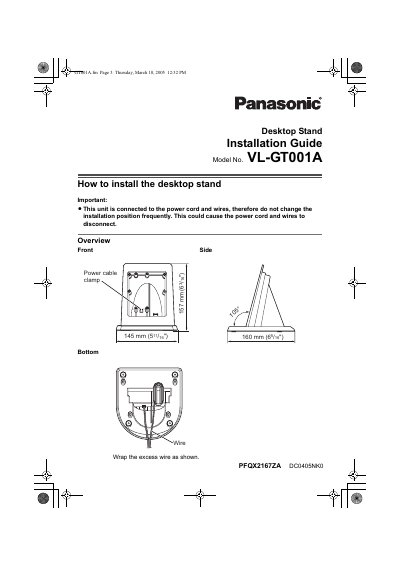
The document is an installation guide for the Panasonic VL-GT001A Desktop Stand. It includes important safety warnings regarding power cord connections and frequency of moving the unit to prevent disconnection issues.
The guide details the physical dimensions, weight, materials, and a four-step installation process involving mounting brackets, wire routing, and securing the monitor station.
| Dimensions (Approximate) | Height 157 mm x Width 145 mm x Depth 160 mm |
|---|---|
| Mass (Weight) | Approximately 180 g |
| Installation method | Desktop type |
| External material | ABS resin |
The stand has an approximate height of 157 mm.
The product weighs approximately 180 g.