
This document describes the fail-safe biasing for the ST485EB interface, which is an RS-485 based interface designed for multipoint differential transmission on a single twisted pair cable. It allows half duplex bi-directional transmission, long cable lengths, and high data rates. Typical applications include LANs, industrial (PLC devices), automotive, and computer interfaces.
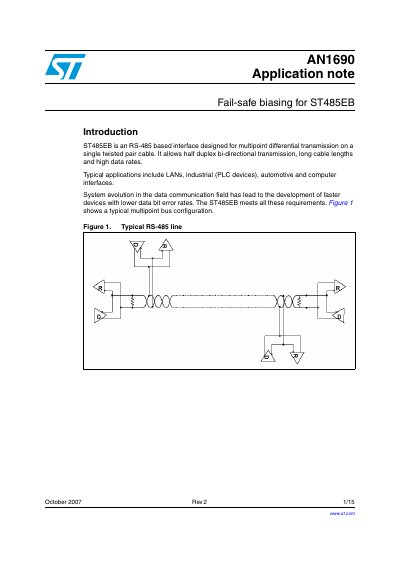
The document describes how to solve the undefined bus state problem that occurs when multiple drivers are connected to an RS-485 bus but only one is active at a time. It details the concept of fail-safe biasing, which ensures the bus remains in a known high or low state even when all drivers are disabled.
| Interface Type | RS-485 based interface |
|---|---|
| Transmission Mode | Half duplex bi-directional transmission |
| Typical Termination Resistance | 54~120 Ohms |
Fail-safe biasing solves the problem where all drivers are disabled, providing the bus with a proper known state instead of an undefined one.
The external resistors must provide at least a 200 mV bias across the line.
They should be of equal value to load the driver outputs symmetrically.