
This is the instruction manual of CD-ES777 MINI COMPONENT SYSTEM system, which introduces the composition and usage of the system.
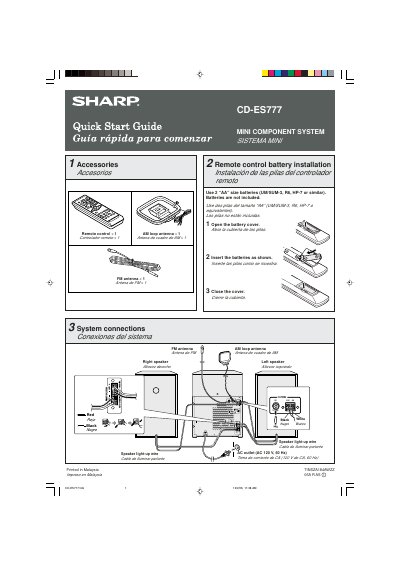
The document is a bilingual (English/Spanish) Quick Start Guide for the Sharp CD-ES777 Mini Component System. It details the included accessories, such as remote controls and antennas, and explains how to install batteries in the remote control.
The guide provides step-by-step instructions for connecting the system to speakers and power, including wiring diagrams for speaker light-up wires. It also covers initial setup procedures, specifically entering demonstration mode upon first use and how to exit it using the X-BASS/DEMO button.
The system requires two AA size batteries, such as UM/SUM-3, R6, or HP-7.
You must press the & button within 5 seconds of pressing the CD 1 button.
The TUNING button must be pressed for more than 0.5 seconds to initiate scanning.