
The document introduces an 8-in-1 meter produced by Extech Instruments Corporation. The meter features pinless technology, which allows for quick measurement of the moisture content of materials without damaging the surface. It also includes a remote pin-type probe for contact moisture readings. The meter works on multiple wood types and other building materials. It has a large dual display with automatic backlight feature, which simultaneously displays the moisture value of the wood or material being tested, air temperature, IR temperature, or humidity. The pinless measurement depth is 0.75 inches. The meter has programmable high/low moisture and humidity alarms. It is designed with an IR circuit for non-contact surface temperature measurement, and has a built-in humidity/temperature probe for measuring relative humidity, air temperature, grains per pound (GPP)/(g/kg), dew point, vapor pressure, and condensation point. It also calculates the differential temperature (IR - DP) to determine the condensation point. The meter includes a fast analog bargraph, min/max and data hold functions, auto power off, and low battery indication. It comes complete with a pin moisture probe with cable, 9V battery, and case.
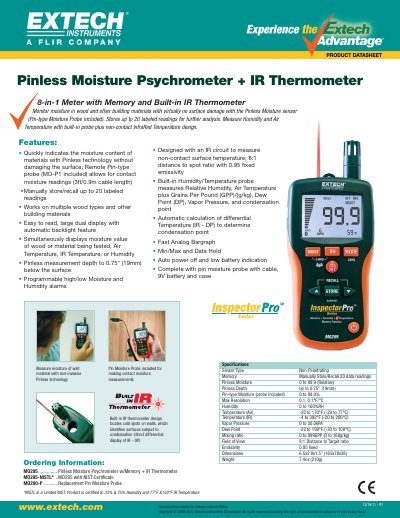
The Extech MO295 is a multi-function instrument designed to measure moisture content in wood and other building materials without damaging the surface. It features patented Pinless technology alongside an optional remote pin-type probe for deeper penetration readings.
In addition to moisture measurement, the device includes a built-in infrared thermometer with a laser pointer for non-contact temperature readings, as well as sensors for relative humidity, air temperature, dew point, and vapor pressure calculations.
| Field of View Ratio | 8:1 |
|---|---|
| Emissivity | 0.95 |
| Laser Class | Class 2 |
| Internal Memory Capacity | 20 points |
| Auto Power Off Time | 30 minutes |
Hold the meter so that the rear sensor is away from any surface or your hand. If the reading is not near 0.0, press and hold the ZERO button for more than two seconds.
The device can store up to 20 readings in its internal memory.
The meter enters sleep mode after 30 minutes of inactivity.
The meter must be at least 8 inches away from the target to ensure the spot size fits within the field of view.