
Extech MO290 Pinless Moisture Meter + IR User's Guide introduces product features, including measuring surface temperature, humidity, surface moisture content, etc. Users can use the product to conduct non-destructive testing of wood and other building materials
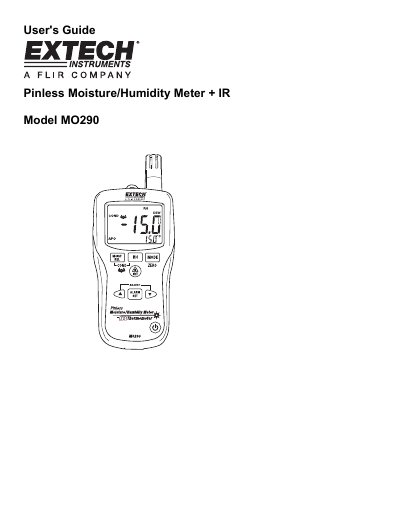
The Extech MO290 is a versatile meter designed to monitor moisture in wood and other building materials without causing surface damage. It features a patented pinless sensor and includes a built-in infrared thermometer for non-contact surface temperature measurements. The device also supports advanced calculations such as Grains per Pound (GPP), Dew Point, and Vapor Pressure.
| Pinless Moisture Range | 0 to 99.9 |
|---|---|
| Air Temperature Range | -20 to 170°F (-29 to 77°C) |
| Pinless Depth | Up to 0.75" (19mm) |
| Battery Life | 6-8 weeks (4 hrs/day use) |
| Operating Temperature | 40 to 110°F (4 to 43°C) |
| Dimensions | 6.5x2.8x1.5" (165x70x38mm) |
Hold the meter so the rear sensor is away from any surface, then press and hold the ZERO button for more than 2 seconds until the ZERO icon appears.
The meter enters sleep mode after 30 minutes of inactivity and emits a warning beep 15 seconds before shutting down.
The meter has an 8:1 distance to spot ratio, meaning the spot size is 1/8th of the distance from the target.