
The Extech CT20 Continuity Tester Pro is a portable continuity tester that allows a single user to quickly identify and label two wires even when the wire ends are located in different rooms. This tester is shipped fully tested and with proper use will provide years of reliable service.
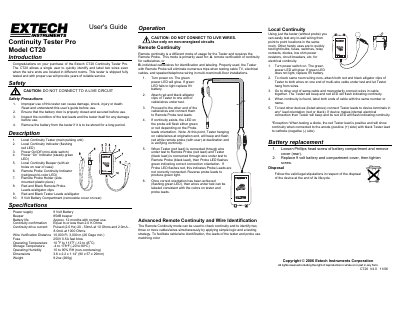
The Extech CT20 Continuity Tester Pro is designed to allow a single user to quickly identify and label two wires even when their ends are located in different rooms. The device includes a main pulsing unit with a remote probe for verifying continuity over long distances or identifying individual cables within multi-wire installations.
| Power supply | 9 Volt Battery |
|---|---|
| Beeper volume | 85dB |
| Battery life | Approx. 12 months with normal use |
| Continuity confirmation limit | Equal to or less than 2.0 K Ohms |
| Wire Verification Distance | 10,000 Ft, 3,000 m (26 Gage min.) |
| Operating Temperature | 10 oF to 113oF (-12 to 45oC) |
| Dimensions | 3.6 x 2.2 x 1.14” (90 x 57 x 29mm) |
| Weight | 9.2oz (260g) |
The tester can verify continuity over a distance of up to 10,000 feet or 3,000 meters with a minimum of 26 Gage wire.
The included 9 Volt Battery provides approximately 12 months of service with normal usage.
No, you must not connect the tester to a live circuit or energized wires as it can cause damage, shock, injury, or death.
If the Probe LED flashes green, it indicates that the probe leads are correctly connected; a red flash means they are not.