
DEM-DAI1742 is a complete evaluation platform for the PCM1742 24-bit, 192kHz stereo audio Digital-to-Analog Converter (DAC) from Texas Instruments (TI). The platform includes all necessary connectors and circuitry for interfacing to audio test systems and commercial audio equipment.
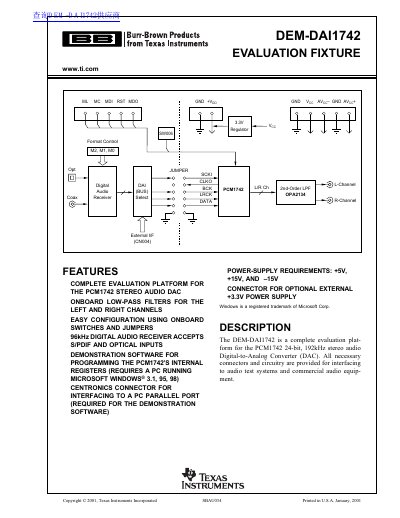
The document provides a complete description of the DEM-DAI1742 evaluation platform designed for the PCM1742 24-bit, 192kHz stereo audio Digital-to-Analog Converter. It details the necessary power supplies (+5V, +/-15V, and +3.3V), analog output configurations with low-pass filters, and digital audio interface capabilities supporting S/PDIF and optical inputs up to 96kHz.
| Supported DAC Model | PCM1742 24-bit, 192kHz stereo audio Digital-to-Analog Converter |
|---|---|
| Digital Audio Receiver Rate | up to 96kHz with 24-bit audio data |
| Analog Output Gain | 2 |
| Low-Pass Filter Cutoff Frequencies | 54kHz or 108kHz |
| Power Supply Requirements | +5V, +3.3V, and +/-15V (optional) |
The demonstration software requires a PC running Microsoft Windows 3.1, 95, or 98.
The evaluation fixture uses a Centronics connector (CN003) for interfacing to a PC parallel port.
Yes, the receiver accepts S/PDIF and optical signal sources.