
This document introduces the various parts and functions of the H1 Handy Recorder H1, including the line/headphones output jack, volume adjustment buttons, microSD card slot, LO CUT switch, AUTO LEVEL switch, REC FORMAT switch, etc. Additionally, it describes the features of the product such as the recording/peak indicator, liquid crystal display (LCD), record button, built-in speaker, etc.
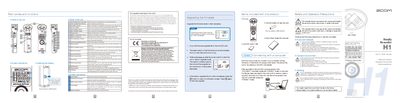
The ZOOM H1 Handy Recorder is a portable audio device featuring a stereo microphone, built-in speaker, and support for microSD cards. The guide details the physical parts, including the power switch, volume buttons, and various input/output jacks, as well as screen indications for battery level and recording status. It includes instructions for inserting batteries and connecting the unit to a computer via USB.
| Battery Type | one AA battery |
|---|---|
| Recording Formats | MP3 or WAV |
| Built-in Memory Capacity | up to 35 seconds |
| Microphone Type | Stereo microphone |
The unit requires one commercially-available alkaline or NiMH AA battery.
Slide the power switch upward to HOLD to disable the buttons.
Yes, you can add a maximum of 99 marks during recording to jump to specific points during playback.