
This manual describes how to install, use, and maintain your [product_name] phone.
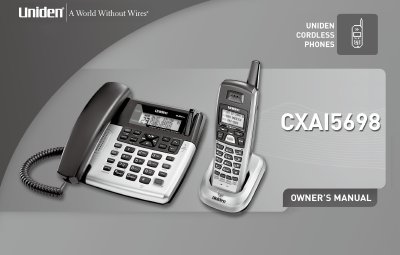
Congratulations on purchasing your new Uniden Corded/Cordless Telephone. This system includes a corded base unit and a cordless handset that can be placed anywhere in your home where AC power is available, without requiring the handset to be plugged into a telephone line. The base unit allows you to make and receive calls during a power failure.
The document covers terminology and manual conventions, provides an overview of product features such as 5.8GHz Extended Range Technology and trilingual display options, and details controls for both the main base unit and the handset. It includes step-by-step instructions for installing the phone, connecting the corded handset, mounting the base on a wall, and setting up the rechargeable battery pack for the cordless handset.
| Frequency Range | 5.8GHz Extended Range Technology |
|---|---|
| Display Options | Trilingual (English, French, Spanish) |
| Caller ID List Capacity | 50 Numbers |
Yes, the corded base allows you to make and receive calls during a power failure.
No, it does not require you to plug the handset in to a telephone line.
To avoid risk of fire and shock, only use the Uniden AD-314 AC adapter.