
HTC Status Quick Start Guide

This file introduces how to use the tablet (Camera and Internet)
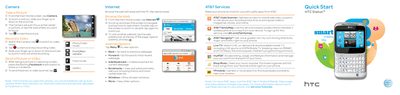

HTC Status Quick Start Guide - cover page
Brand
HTC
Category
Smartphones
Document type
User Manual
Language
English
Pages
4
File format
PDF
File size
4.1 MB
Published
03 July, 2012
Updated
01 October, 2023
MD5 checksum
B519AA6D4AFA683B1AA320982A5B78DF

About this manual

This document provides a quick start guide for the HTC Status smartphone, detailing how to use the camera, internet browser, and various AT&T services. It includes instructions for setting up email accounts, accessing the Android Market, and managing connectivity options like Bluetooth and Wi-Fi hotspots.

What's inside

  • Camera
  • Internet
  • Email
  • Android Market
  • Connectivity
  • Setting up Your Phone
  • Getting to Know your Phone
  • Calling
  • Text Messaging
  • Audio

Frequently asked questions

How many devices can connect to the portable Wi-Fi hotspot?

You can use your smartphone to allow mobile broadband for up to 8 other devices.

Download PDF (4.1 MB)

More HTC Manuals


View all HTC manuals →