
This is a manual on how to set up Windows phone
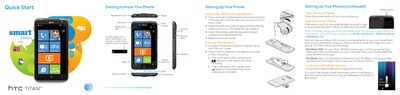
This document provides initial setup instructions for the HTC TITAN smartphone, including removing the back cover, inserting the SIM card and battery, and connecting to power. It also covers basic navigation of the Start screen and locking/unlocking the device.
The guide details how to make calls, send text messages, change ringtones, and use the camera for photos and video. It further explains managing contacts via People Hub, setting up email accounts (POP3/IMAP/Exchange), browsing the web with Internet Explorer, and configuring Wi-Fi and Bluetooth connections.
| Email Protocols Supported | POP3/IMAP, web-based, Microsoft Exchange |
|---|---|
| Network Technology | 4G speeds delivered by HSPA+ |
Press and hold the Release button at the bottom of the phone, pull out the back cover, then insert the SIM card with its gold contacts facing down and its cut-off corner facing outward.
Press the Camera button halfway to focus, then press it all the way down to take the picture.