
HTC TITAN II Quick Start Guide

This document is a setup guide that introduces how to set up the phone's various functions, including turning on, signing in, and locking the screen
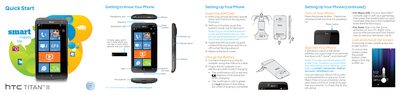

HTC TITAN II Quick Start Guide - cover page
Brand
HTC
Category
Smartphones
Document type
User Manual
Language
English
Pages
4
File format
PDF
File size
1.8 MB
Published
03 July, 2012
Updated
01 October, 2023
MD5 checksum
B1CC16D81F0FBBE2EFC0339B8A575AC1

About this manual

This document serves as a Quick Start Guide for the HTC TITAN II smartphone. It covers initial setup procedures, including removing the back cover, inserting the SIM card, and connecting the AC adapter. The guide also explains how to power on the device and sign in using a Windows Live ID.

What's inside

  • Getting to Know Your Phone
  • Setting Up Your Phone
  • Making Calls and Checking Voicemail
  • Changing Your Ringtone
  • Sending Text Messages
  • Using the Camera
  • Managing Contacts
  • Managing Email
  • Exploring the Web

Frequently asked questions

What is the procedure for removing the back cover of the phone?

Hold the phone securely upside down with the front facing away from you, then push the bottom cover out with your thumbs.

How do you know when the phone is charging versus when it is fully charged?

The notification LED is red while charging and turns green when charging is complete.

What steps are required to make a call from the phone?

Tap the Phone tile, tap the number icon, select the desired phone number, and tap call.

Download PDF (1.8 MB)

More HTC Manuals


View all HTC manuals →