
The document introduces the characteristics of bq2010 gas gauge ic. bq2010 gas gauge ic can detect the battery charge in charging and discharging state, and estimate the self-discharge current of the battery using the internal temperature sensor and timer. Finally, the available charge of the battery is calculated. The ic can also display the available charge of the battery via a 5-segment or 6-segment led display.
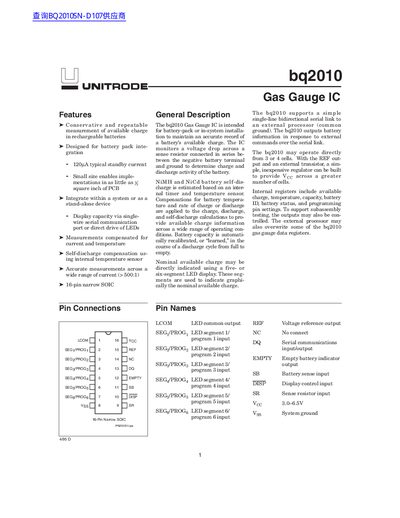
The UNITRODE bq2010 is a Gas Gauge IC designed for battery-pack or in-system installation to maintain an accurate record of a battery's available charge. It monitors voltage drops across a sense resistor and compensates for current, temperature, and self-discharge rates.
The device supports NiMH and NiCd batteries and can be integrated into systems with as little as one square inch of PCB space. It features a single-wire serial communication port or direct LED drive capabilities to display capacity.
| Typical Standby Current | 120A |
|---|---|
| Package Type | 16-pin narrow SOIC |
| Supply Voltage Range | 3.0-6.5V |
| Temperature Range | -35°C to +85°C |
The typical standby current is 120A.
It monitors a voltage drop across a sense resistor connected in series between the negative battery terminal and ground.
The device operates with a supply voltage (Voc) ranging from 3.0V to 6.5V.