
Panasonic RR-US050 IC Recorder Operating Instructions

This is an operating manual for the Panasonic RR-US050 IC recorder.
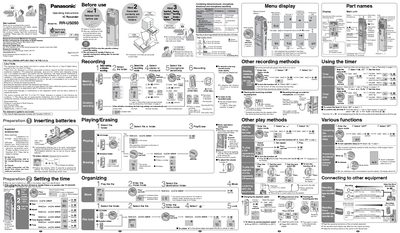

Panasonic RR-US050 IC Recorder Operating Instructions - cover page
Brand
Panasonic
Category
Other Electronics
Document type
User Manual
Language
English
Pages
2
File format
PDF
File size
1.6 MB
Published
03 July, 2012
Updated
30 September, 2023
MD5 checksum
E3F3A3415D11B15010DD70B6F8E1E315

About this manual

This manual provides operating instructions for the Panasonic RR-US050 IC Recorder. It details the preparation steps, including inserting batteries and setting the clock, as well as the use of supplied accessories like stereo earphones and a USB cable. The document explains how to configure stereo or monaural recording modes and adjust microphone sensitivity for various recording scenarios such as meetings or dictation.

What's inside

  • Preparation
  • Setting the time
  • Stereo/monaural setting
  • Recording
  • Playing
  • Erasing
  • Other play methods
  • Various functions
  • Connecting to other equipment

Frequently asked questions

What batteries are recommended for the RR-US050?

Rechargeable batteries manufactured by Panasonic are recommended if rechargeable batteries are to be used.

How long does it take to set the time if there is no operation?

The clock will return to standby if there is no operation after 10 seconds have elapsed while setting the time.

Download PDF (1.6 MB)

More Panasonic Manuals


View all Panasonic manuals →