
Nikon D80 Digital Camera Quick Start Guide

This document is a product manual that introduces the accessories and usage methods of a camera.
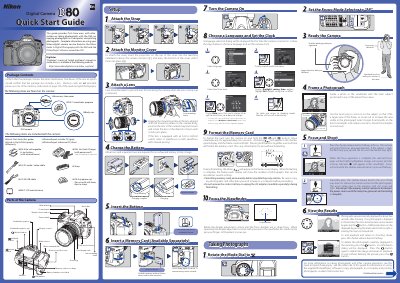

Nikon D80 Digital Camera Quick Start Guide - cover page
Brand
Nikon
Category
Digital cameras
Document type
Quick Start Guide
Language
Chinese
Pages
2
File format
PDF
File size
2.4 MB
Published
02 July, 2012
Updated
28 September, 2023
Model
D80
MD5 checksum
2AA77E0EA7DDFBA65B4CC64E46E4952D

About this manual

This document serves as a Quick Start Guide for the Nikon D80 digital camera. It lists the items included in the package, such as the EN-EL3e battery, USB cable, and PictureProject software CDs. The guide also identifies key parts of the camera body, including the mode dial, viewfinder eyepiece cup, and accessory shoe cover. This manual is written in Chinese.

What's inside

  • Package Contents
  • Parts of the Camera
  • Attach the Strap
  • Turn the Camera On
  • Taking Photographs
  • Frame a Photo
  • Focus and Shoot
  • View the Results
  • Charge the Battery
  • Insert a Memory Card

Frequently asked questions

How long does it take to fully charge an exhausted battery?

About two and a quarter hours are required for an exhausted battery to fully charge.

How do I format the memory card?

Turn the camera on and hold the ( and ) buttons down simultaneously for approximately two seconds.

What happens when focus is complete?

The selected focus areas will be briefly highlighted, a beep will sound, and the in-focus indicator (G) will appear.

Download PDF (2.4 MB)

More Nikon Manuals


View all Nikon manuals →