
This manual describes the contents of the Turbo uPSD DK3300 design kit, including the items included in the kit, the steps required to get started, the demonstration application examples, the tools installation and usage, and the Flash and JTAG programming information.
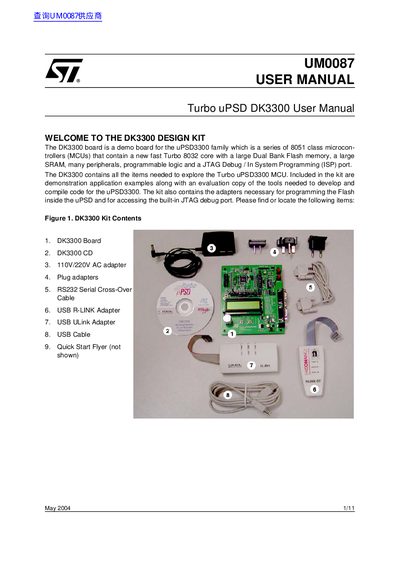
The DK3300 is a demonstration board designed for the Turbo uPSD3300 family of 8051-class microcontrollers. The kit includes the board itself, software tools on a CD (PSDsoft Express and Keil uVision2), various adapters for programming and debugging via JTAG, and documentation to help users explore the device's capabilities.
The manual provides step-by-step instructions for getting started, including installing necessary software and connecting the board to a PC. It details the hardware features of the DK3300 board, such as the real-time clock, RS232 connectors, LCD display, and various input/output peripherals like switches, LEDs, and an encoder.
| Microcontroller Core | Turbo 8032 core |
|---|---|
| Memory Type | Dual Bank Flash memory, SRAM |
| Power Input | 9V DC |
You need to install PSDsoft Express and Keil uVision2 Integrated Development Environment.
The AC adapter works on either 110V or 220V.
The board requires a 9V DC input for power.
The board features a 2 Line by 16 Character LCD.