
This document is a connection guide for YAMAHA DSP-A3090 digital power amplifier, which introduces the connection of front, center, surround and subwoofer, and provides connection diagram
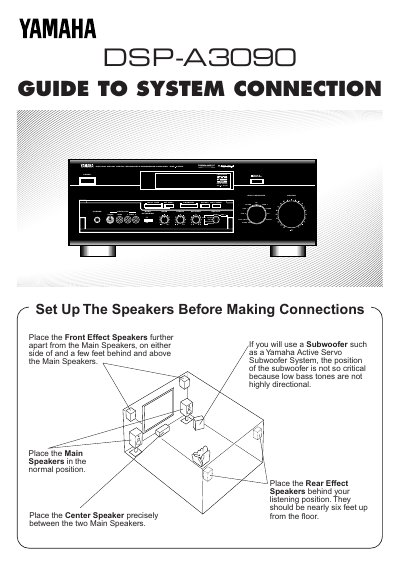
The document provides instructions on optimal speaker positioning for a multi-channel setup, including main speakers, center speakers, rear effect speakers, front effect speakers, and subwoofers. It details how to connect bare wire or banana plugs to speaker terminals with correct polarity.
The guide covers connecting various audio components like VCRs, CD players, and tuners using analog RCA cables and digital optical fiber connections. It also explains video component connections via S-Video or composite jacks and describes the function of rear panel switches for main level adjustment and system configuration.
Place them further apart from the main speakers, on either side of and a few feet behind and above the main speakers.
If using a Yamaha Active Servo Subwoofer System, the position is not critical because low bass tones are not highly directional.
Connect it to this unit's AC-3 RF SIGNAL input jack to input audio signals encoded with Dolby Surround AC-3.