
This document is a QuickStart Guide for the Olympus C-750 Ultra Zoom digital camera. It covers how to load batteries and xD-Picture Card, and introduces the features and characteristics of the camera.
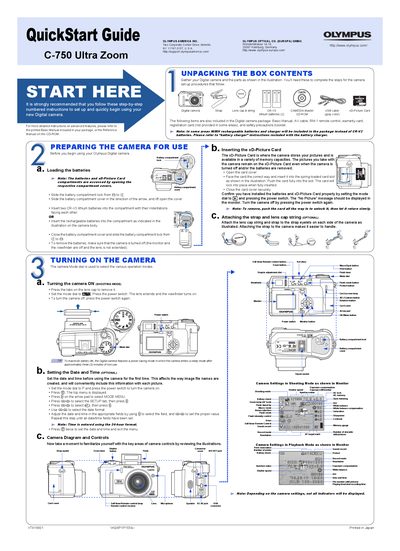
This document serves as a QuickStart Guide for the Olympus C-750 Ultra Zoom digital camera. It provides step-by-step instructions for unpacking the contents, loading batteries, inserting the xD-Picture Card, and attaching the strap. The guide explains how to turn the camera on and off, set the date and time, and familiarize users with the camera's controls and indicators.
| Battery Type | CR-V3 lithium batteries (2) or NiMH rechargeable batteries |
|---|---|
| Memory Card | xD-Picture Card |
| Storable Pictures | 16 MB to 256 MB xD-Picture Card |
Set the mode dial to the shooting mode and press the power switch.
You can erase single frames or all frames on the card using the arrow pad and menu.