
Agilent OpenLAB Intelligence Reporter Client is a client tool for generating reports. It can connect to ECM and retrieve data from the reporting database. Users can generate reports by performing basic tasks such as selecting a reporting project, defining filters, selecting data, previewing the report, and printing/exporting the report.
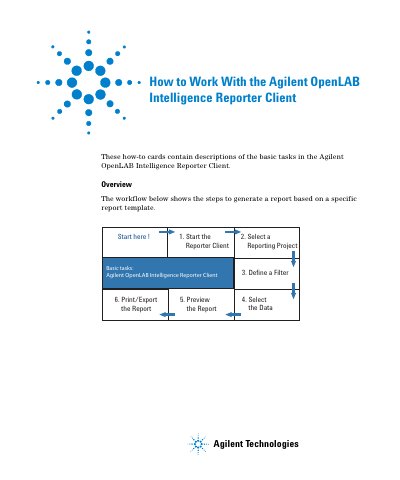
This manual explains how to use the Agilent OpenLAB Intelligence Reporter Client to generate reports. It covers starting the client, selecting a reporting project, defining filters, selecting data, previewing reports, and printing or exporting them. Users must log in to ECM to access data. The document includes examples of basic and advanced filtering, data grouping, and report template application.
The manual is structured around a workflow: start the client, select a project, define filters, select data, preview the report, and print/export. It also includes tips for optimizing performance and handling interactive reports.
Double-click the program icon or click Start > All Programs > Agilent Technologies > OpenLAB > Intelligence Reporter Client.
The PC must be able to connect to ECM, and users must log in with their credentials.
Select a field name, define a filter condition (field name + condition + value), and click to confirm the filter definition line.