
This document is the user guide for Sony Ericsson V640i Vodafone phone, which introduces the assembly, turning on, charging, menu navigation, making calls, sending text messages, taking photos and videos, playing music, and network connection functions of the phone.
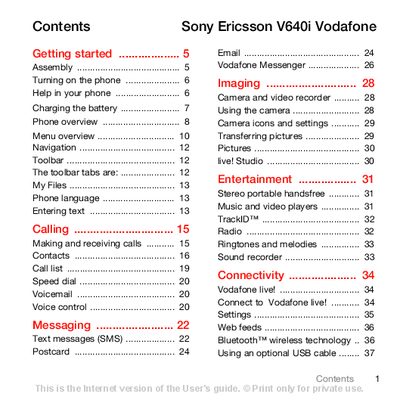
This guide walks you through the initial setup of the V640i, including inserting the battery and SIM card, turning the device on, and navigating the main menus. It also explains how to use core functions such as calling, messaging, and managing contacts.
Later sections cover multimedia features like the camera, music and video players, as well as connectivity options such as Bluetooth, USB, and Vodafone live! services. Troubleshooting tips, safety guidelines, and an index are provided for quick reference.
| Network Bands | UMTS 2100, GSM 900/1800/1900 |
|---|---|
| Battery Charging Time | Approximately 2.5 hours to full charge |
Press and hold the power key, then select a mode, enter your SIM PIN if requested, and follow the on‑screen prompts.
It takes about 2.5 hours to fully charge the battery.
Remove the battery cover, slide the SIM card forward, then push it back under the holder with the gold contacts facing down, and replace the cover.