
This document is a user manual of Sony mobile phone
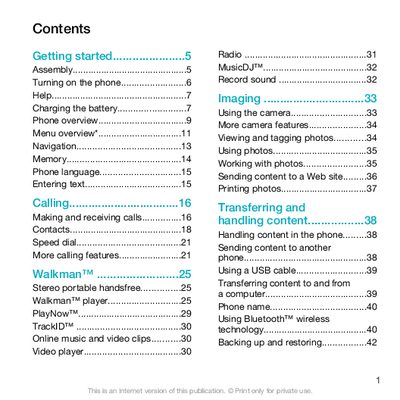
This guide covers the basic setup of the Sony Ericsson W508, including inserting the SIM card and battery, turning the device on, and configuring language and network settings. It also walks you through everyday functions such as making and receiving calls, managing contacts, using speed dial, and handling text and picture messages.
Further sections describe multimedia capabilities like the Walkman music player, video playback, camera operation, photo tagging, and sharing content via Bluetooth or the internet. Additional topics include Bluetooth pairing, backup and restore, flight mode, update service, gesture control, location services, alarms, profiles, and troubleshooting common questions and error messages.
| Battery charging time | Approximately 2.5 hours to fully charge |
|---|
Press and hold down the power key until the phone starts.
Remove the battery cover, slide the SIM card into its holder with the gold contacts facing down, then replace the cover.
About 2.5 hours for a full charge.
Select the menu option indicated by > > > to open the user guide.