
This is the installation guide for 12WE6-WIFIBT-10AR GC-WB300D GC-WB150, which introduces how to install WIFI/Bluetooth card and antenna.
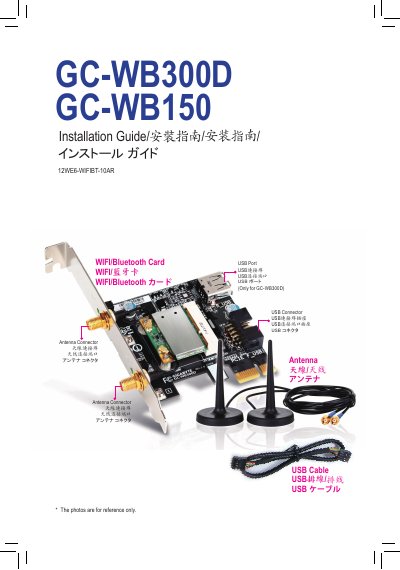
This guide provides step‑by‑step instructions for installing the Gigabyte GC‑WB300D and GC‑WB150 Wi‑Fi/Bluetooth PCIe add‑in cards. It covers inserting the card into a PCI Express x1 slot, connecting the USB cable to the card and motherboard, attaching the antenna cables, and installing the driver software.
Regulatory and compliance information is included, such as FCC notice, European R&TTE directive compliance, and country‑specific approvals for the wireless modules. The guide also notes that the Wi‑Fi Share Utility is supported only on Windows 7. This manual is written in Chinese.
| Interface | PCI Express x1 |
|---|---|
| Product Type | PCIe add‑in card |
| USB Connector | F_USB on motherboard |
| Antenna Connectors | Two antenna ports |
The Wi‑Fi Share Utility is supported only on Windows 7.