
This document provides a user guide for Philips mobile phones, including instructions on power on/off, making and receiving calls, accessing the main menu, etc. It also explains the settings for function keys, main menu, hotkeys, and shortcuts. The document also highlights some features and performance of the phone.
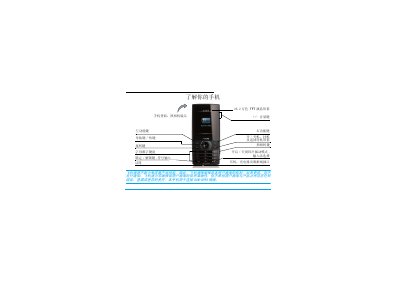
This manual explains how to use the Philips XKING (X620) mobile phone, covering first‑time setup, SIM insertion, battery charging, and basic navigation. It provides step‑by‑step guidance for making calls, sending messages, and accessing the phone’s menu functions.
Additional sections describe advanced features such as hot‑keys, Bluetooth pairing, camera operation, and scenario modes, as well as safety notices, warranty information, and environmental compliance details. This manual is written in Chinese.
| Display | 26.2 万色 TFT 液晶屏幕 |
|---|---|
| Charging time | 约 3 小时充满电 |
Press and hold the power key ( ) to turn the phone on or off.
Remove the back cover, take out the battery, align the SIM card with the slot (corner toward you, metal contacts down) and push it in, then replace the battery and back cover.
Approximately three hours are required for a full charge.
From the standby screen press L to open Settings > Phone > Time & Date, then use the keypad to enter the desired values.