
This document is the user manual for Epson Stylus ® Photo 1400 printer, which mainly introduces the function, usage method, maintenance method of the printer
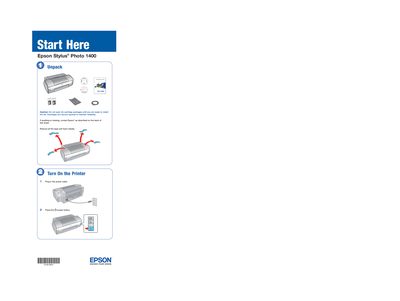
This manual guides you through unpacking the printer, installing ink cartridges, loading paper, and installing the driver software on Windows or Macintosh computers. It includes step‑by‑step instructions, cautions, and tips to ensure proper setup and operation.
The later sections cover common problems such as printer noise after cartridge installation, how to charge the print head, and where to obtain genuine Epson ink and paper. Contact information for Epson technical support and warranty details are also provided.
| Supported Operating Systems | Windows 2000, XP, Vista; Mac OS X 10.2.8‑10.4.x |
|---|---|
| Ink Cartridge Model | 79 Black T079120 |
| Recommended Paper | Ultra Premium Photo Paper Glossy |
Charging takes about three minutes.
Wait until the print head finishes charging and the green power light stops flashing before turning the printer off.
You can purchase them online at www.epsonstore.com (U.S.) or www.epson.ca (Canada) or from an authorized reseller.