
Describes how to install the Siemens WGR614 54 Mbps Wireless Router.
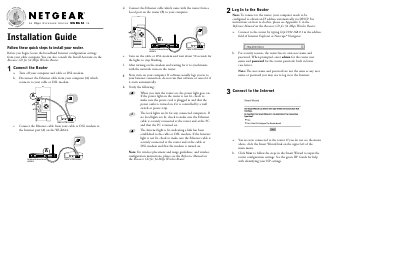
The Installation Guide walks you through connecting the WGR614 router to your cable or DSL modem, attaching the Ethernet cables, powering on the devices, and logging into the router’s web interface. It also explains how to verify the power, local, and Internet LEDs to confirm a successful connection.\n\nAfter setup, the guide advises registering the product on Netgear’s website for support, and includes notes on wireless placement, EU frequency and power restrictions, and where to find additional configuration details on the Resource CD.
| Maximum wireless speed | 54 Mbps |
|---|---|
| Frequency range | 2.400 – 2.4835 GHz |
| EU transmit power limit | 100 mW EIRP |
| Model version | v4 |
Open a web browser and enter http://192.168.0.1 in the address bar.
The default username is “admin” and the default password is “password”.