
Edimax ET-913 Series Media Converters can convert signals between two different transmission mediums, allowing user a simple and cost-effective method to migrate between UTP cable and fiber optic cable.
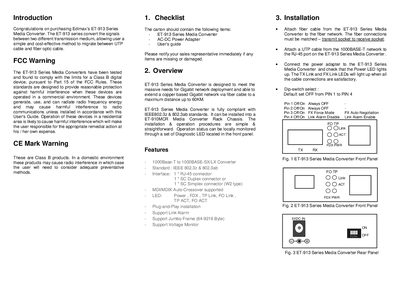
The ET-913 Series Media Converter converts Gigabit Ethernet signals between UTP copper and fiber optic cables, supporting distances up to 60 km. It complies with IEEE 802.3z and 802.3ab standards and offers features such as auto‑MDI/MDIX, jumbo frames, voltage monitoring, and link alarm.
The guide covers installation steps, including connecting fiber and RJ‑45 cables, powering the unit, and configuring dip‑switches. LED indicators show power, link status, and activity for both copper (TP) and fiber (FO) connections. Technical specifications and ordering information for various model variants are also provided.
| Standards | IEEE 802.3z, 802.3ab |
|---|---|
| Power Input | AC 100‑240 V |
| Output Power | 5 V DC, 1.6 A |
| Weight | 300 g (net) |
| Dimensions | 26 mm × 71 mm × 97 mm |
| Operating Temperature | 0 °C to 50 °C |
| Storage Temperature | -20 °C to 60 °C |
| EMI Compliance | FCC Class A, CE |
The Power LED lights green when power is available to the converter.
The ET‑913SSC6 supports single‑mode fiber up to 60 km using a 1550 nm DFB laser.