
The Brother HL-2035 is a stylish and compact laser printer with a print speed of up to 18ppm and a print resolution of HQ1200dpi. It has 8MB standard memory, a USB 2.0 interface, and a paper tray with a capacity of up to 250 sheets, as well as a manual paper feed slot. Installation is simple and it is compatible with both PC and Apple macintosh systems.
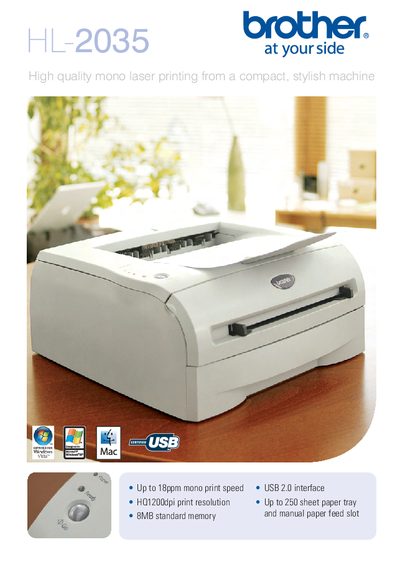
The Brother HL-2035 is a compact mono laser printer designed for home or small‑office use. It offers up to 18 ppm printing speed, 1200 dpi resolution, and a 250‑sheet paper tray with a manual feed slot for envelopes and specialty media.
The manual covers installation steps, driver software for Windows, macOS and Linux, and detailed specifications such as memory, power consumption, dimensions, and supported paper types. It also explains driver functions like N‑up, poster printing, watermarking, manual duplex, and power‑saving features.
| Print speed | Upto 18 ppm |
|---|---|
| Print resolution | HQ1200 (2,400 × 600 dpi) |
| Interface | Standard Full‑Speed USB 2.0 |
| Paper capacity (tray) | Up to 250 sheets |
| Manual feed slot | 1 sheet |
| Supported media weight (manual feed) | 60‑161 g/m² |
| Dimensions (without carton) | 368 × 361 × 170.5 mm |
| Weight (without carton) | 6.8 kg |
| Printing power consumption | 460 W |
| Sleep power consumption | 5 W |
| Sound pressure (printing) | 51 dB (A) |
The printer driver works with Windows Vista, Windows XP (32‑ and 64‑bit), Windows Server 2003, Windows 2000, macOS X 10.24 or later, and Linux.
Use the "Manual Duplex" function in the printer driver to manually print on both sides of the paper.
The standard toner cartridge (TN‑2005) yields about 1,000 pages, while the high‑capacity cartridge (DR‑2005) yields approximately 1,500 pages.