
The MAX2150 is a wideband direct upconversion quadrature modulator IC from Maxim. It features a 28-bit sigma-delta fractional-N synthesizer with a frequency range of 700MHz to 2300MHz, a resolution of 100mHz, and a power consumption of 72mA.
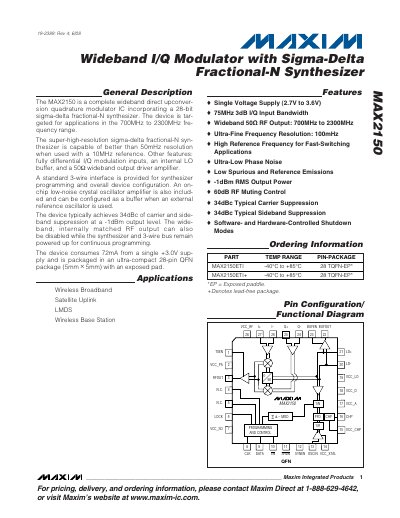
The MAX2150 integrates a broadband I/Q modulator, a 28‑bit sigma‑delta fractional‑N synthesizer, an internal LO buffer, and a low‑noise crystal oscillator. It is supplied by a single 2.7 V‑3.6 V rail and consumes about 72 mA. The device offers fully differential I/Q inputs, a 50 Ω wideband RF output, and a standard 3‑wire serial interface for programming and configuration.
Typical applications include wireless broadband, satellite uplink, LMDS, and base‑station transceivers. The datasheet provides absolute maximum ratings, detailed electrical characteristics, pin descriptions, and layout recommendations for optimal RF performance.
| Frequency Range | 700 MHz – 2300 MHz |
|---|---|
| Supply Voltage | 2.7 V – 3.6 V |
| Supply Current | 72 mA (typical) |
| Typical Sideband Suppression | 34 dBc |
| Output Power (‑1 dBm) | -1 dBm RMS |
| Package | 28‑pin TQFN (5 mm × 5 mm) with exposed pad |
| Operating Temperature Range | -40 °C to +85 °C |
The MAX2150 operates from 2.7 V to 3.6 V.
It uses a standard 3‑wire serial interface (CLK, DATA, EN) for programming and configuration.