
This document provides instructions and steps for using and setting up the S5700/S700 camera, including battery installation, memory card insertion, picture taking, and image viewing functions.
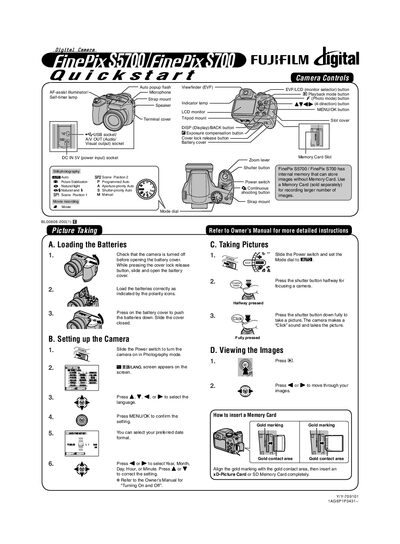
The Quickstart Guide provides concise instructions for getting the Fujifilm FinePix S700 ready for use. It covers battery installation, basic camera settings, picture taking, and viewing images on the camera.
It also explains how to insert a memory card, install the FinePixViewer software, connect the camera to a PC via USB, and save or view images on a computer. Additional help topics and reference to the full Owner's Manual are included.
| Internal memory | Can store images without a memory card |
|---|---|
| Supported memory cards | xD-Picture Card or SD Memory Card |
Turn off the camera, open the battery cover using the lock release button, insert the batteries with correct polarity, then close the cover.
Install the FinePixViewer software from the included CD, connect the camera to the PC with the USB cable, and use the Save Image Wizard to download the pictures.