
This document is the user guide for the OrigenAE HTPC enclosure, providing information on what to read before installation and some precautions. The document also includes details on the enclosure's features, drive installation, VFD/IR module installation, software installation, and installation and connection of other components.
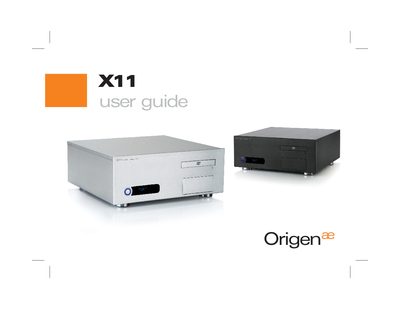
The OrigenAE X11 is a compact HTPC enclosure designed for ATX and micro‑ATX motherboards, offering multiple drive bays and front‑panel connectivity.
This guide covers opening the case, removing and installing drive caddies, mounting the optical‑drive bezel, wiring the VFD/IR module, and installing the required software and drivers.
| External dimensions (WxHxD) | 435x170x420mm |
|---|---|
| Motherboard support | ATX, micro ATX |
| Drive bays | 4 x 3.5" internal, 1 x 3.5" + 1 x 5.25" external |
| PSU support | ATX |
| PCI / AGP card support | full size |
| Front ports | 2 x USB, 1 x 1394, 1 x microphone, 1 x headphone |
| Net weight | 4.5 kg (approx) |
| VFD size | 169x39x32 mm |
| VFD display | 2 lines x 16 characters, blue colour |
The enclosure measures 435 mm wide, 170 mm high, and 420 mm deep.
It can hold up to four hard drives, one optical drive, and one additional 3.5" drive.
The front panel provides two USB ports, one 1394 port, a microphone socket, and a headphone socket.
The enclosure weighs approximately 4.5 kg.