
This document is the user manual of Cisco Digital Transport Adapter 50 remote control, which includes the introduction of remote control functions and the corresponding TV model codes
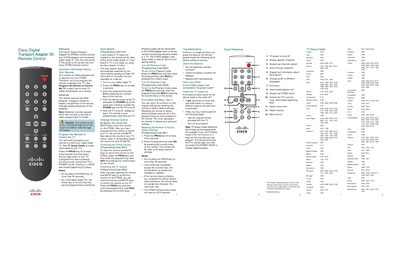
The Cisco Digital Transport Adapter 50 (DTA50) remote control operates the DTA50 adapter and a connected cable‑ready TV. The guide provides step‑by‑step instructions for initial setup, battery installation, and programming the remote to control TV functions such as power, volume, mute, and closed captioning.
Key sections cover programming the remote with TV codes, using the Auto Search feature when a code is not listed, adjusting volume control behavior, resetting to factory defaults, battery safety, and troubleshooting common issues.
| Battery type | AAA |
|---|---|
| Number of batteries | 2 |
| LED indicator | None |
| Programming code to reset volume to DTA50 | 9931 |
| Programming code to reset volume to TV | 9932 |
Press the PROG key for at least three seconds, then enter the four‑digit TV code; the remote will then control POWER, VOLUME, MUTE and CLOSED CAPTIONING keys.
Press the PROG key for at least three seconds and then enter programming code 981; the remote will be restored to its factory defaults.
The remote uses two AAA batteries, which must be placed according to the diagram inside the battery compartment.