
This manual introduces the E-blocks internet board EB023 product information, including product introduction, appearance, circuit diagram, etc.
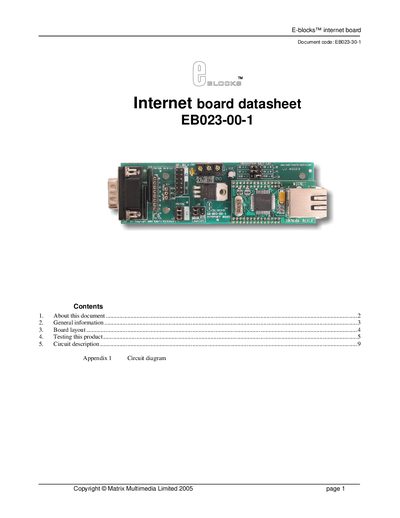
The EB023-00-1 Internet Board from Matrix Multimedia adds Ethernet and TCP/IP capabilities to microprocessor or FPGA projects. It includes a TCP/IP stack, a physical‑layer chip and an RJ45 connector, and communicates with a microcontroller via a PCO interface.
The board supports 10/100 Base‑TX operation, half/full duplex, auto‑negotiation and IEEE 802.3/802.3u compliance. It works with 3.3 V or 5 V systems, provides network status LEDs, and can handle up to four simultaneous connections. Detailed board layout, jumper settings, testing procedures and troubleshooting steps are included.
| Supported Ethernet speed | 10/100 Base TX |
|---|---|
| Duplex operation | Half/full duplex |
| Auto‑negotiation | Supported |
| IEEE compliance | 802.3/802.3u |
| Operating voltage | 3.3 V or 5 V systems |
| Network status LEDs | Included |
| Hardware Ethernet protocols | DLC, MAC |
| Simultaneous connections | 4 independent connections |
| PC bus interface addresses | 8 available addresses |
| Connector type | RJ45 (9‑way D‑type downstream) |
Open the Run dialog, type ‘CMD’, press Enter, then type ‘ipconfig’ and press Enter; the IP address will be listed in the output.
Connect the board directly to the PC with a standard RJ45 CAT‑5 crossover cable and configure the PC’s IP settings as described.