
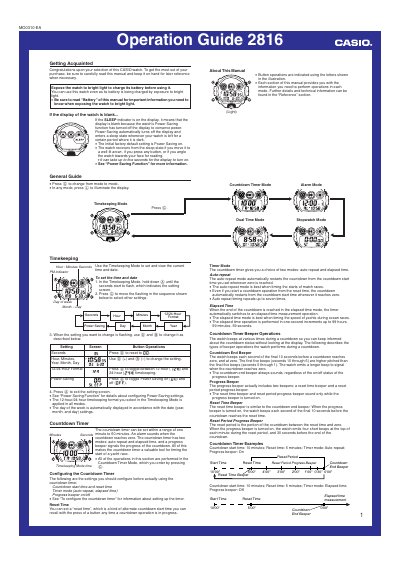
The Casio 2816 Operation Guide introduces the watch’s basic operation, including how to set the time, use the dual‑time display, and navigate the various modes such as Stopwatch, Countdown Timer and Alarm. It also explains the Power Saving function and how the watch automatically enters a sleep state when left in darkness.
The manual provides detailed instructions for charging the built‑in solar cell, managing the rechargeable CTL1616 battery, using the EL backlight, and configuring alarms, countdown timers, and beeper settings. Safety and charging precautions are included to ensure reliable long‑term operation.
| Battery type | CTL1616 rechargeable battery |
|---|---|
| Solar charging method | Solar cell converts light into electricity |
| Backlight type | EL (electro‑luminescent) panel |
| Stopwatch display range | 99 h 59 min 59.99 s |
| Countdown timer range | 1 min to 60 min |
| Daily alarms | Five independent alarms |
| Power‑saving level 4 behavior | All functions disabled, settings revert to factory defaults |
| Full charge exposure (outdoor sunlight) | 5 minutes at 50 000 lux |
Expose the watch to bright light; the built‑in solar cell converts the light into electricity to charge the rechargeable battery.
Press the © button in any mode to illuminate the display for about one second.
When turned on, it automatically puts the watch into a sleep state after 20‑35 minutes of darkness, blanking the display while keeping other functions enabled.
You can set five independent daily alarms, with one configurable as a snooze alarm and the others as one‑time alarms.